# Software Installation
## System Requirements
KIDZBot-Scratch coding software supports 64-bit Windows operating systems.
## Quick Installation
### Download
Click to download
[KIDZBot_2.4.6_windows.zip](https://icreate-help-center.yuque.com/attachments/yuque/0/2026/zip/43021771/1785144667824-ad6dcf48-ec02-4fdf-8e26-5e6e53627a2a.zip)
and save the coding software to your computer.
### Windows System Installation Steps
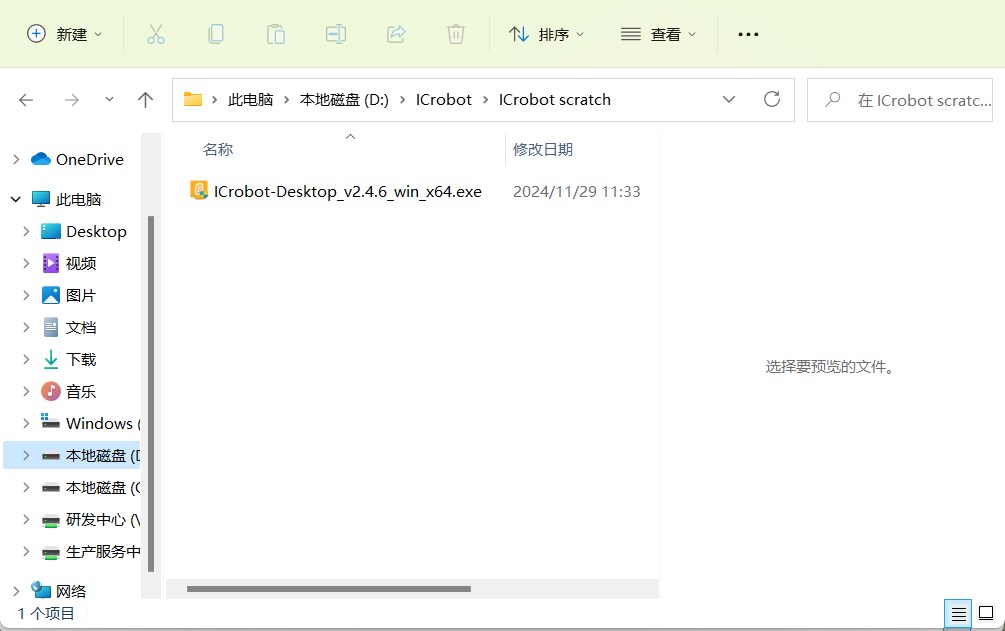
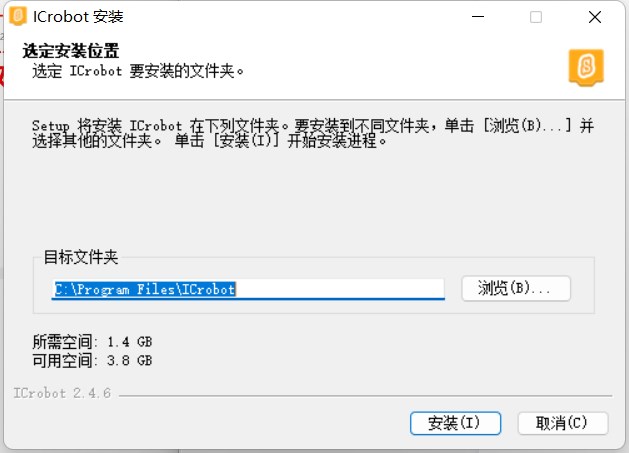
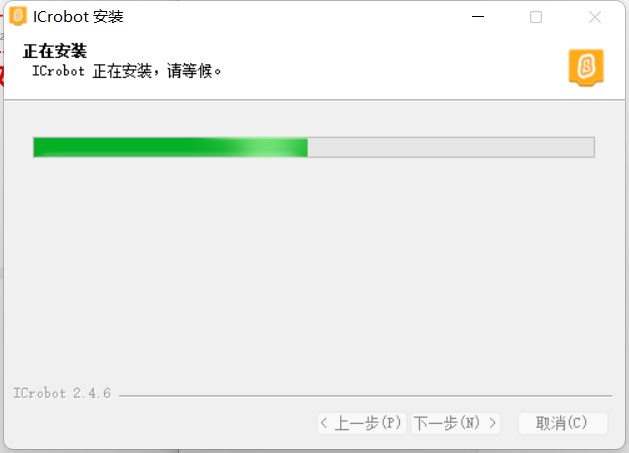
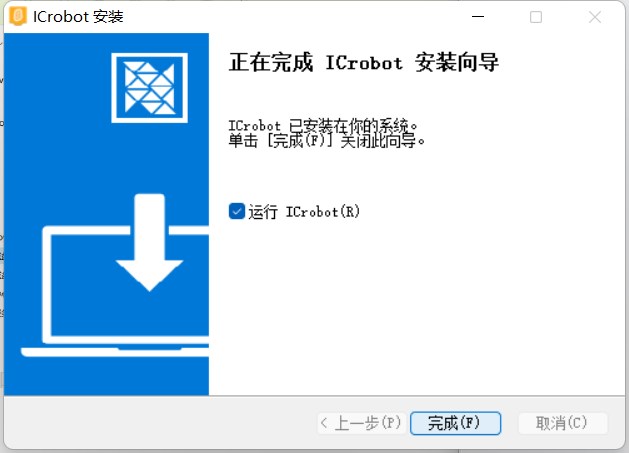
Double-click the installation file and follow the installation wizard to correctly install KIDZBot Scratch coding software. The steps are as follows:
| 
|
| :---: |
| Step 1: Select and double-click the installation file |
| 
|
| Step 2: Choose the software installation directory. It is recommended to select a disk other than the C drive (system disk)! |
| 
|
| Step 3: Wait for the installation to complete. The time required will depend on the performance of your computer, so please be patient. |
| 
|
| Step 4: Click “Run” and then “Finish.” The KIDZBot-Scratch coding software is installed and will open. |
| 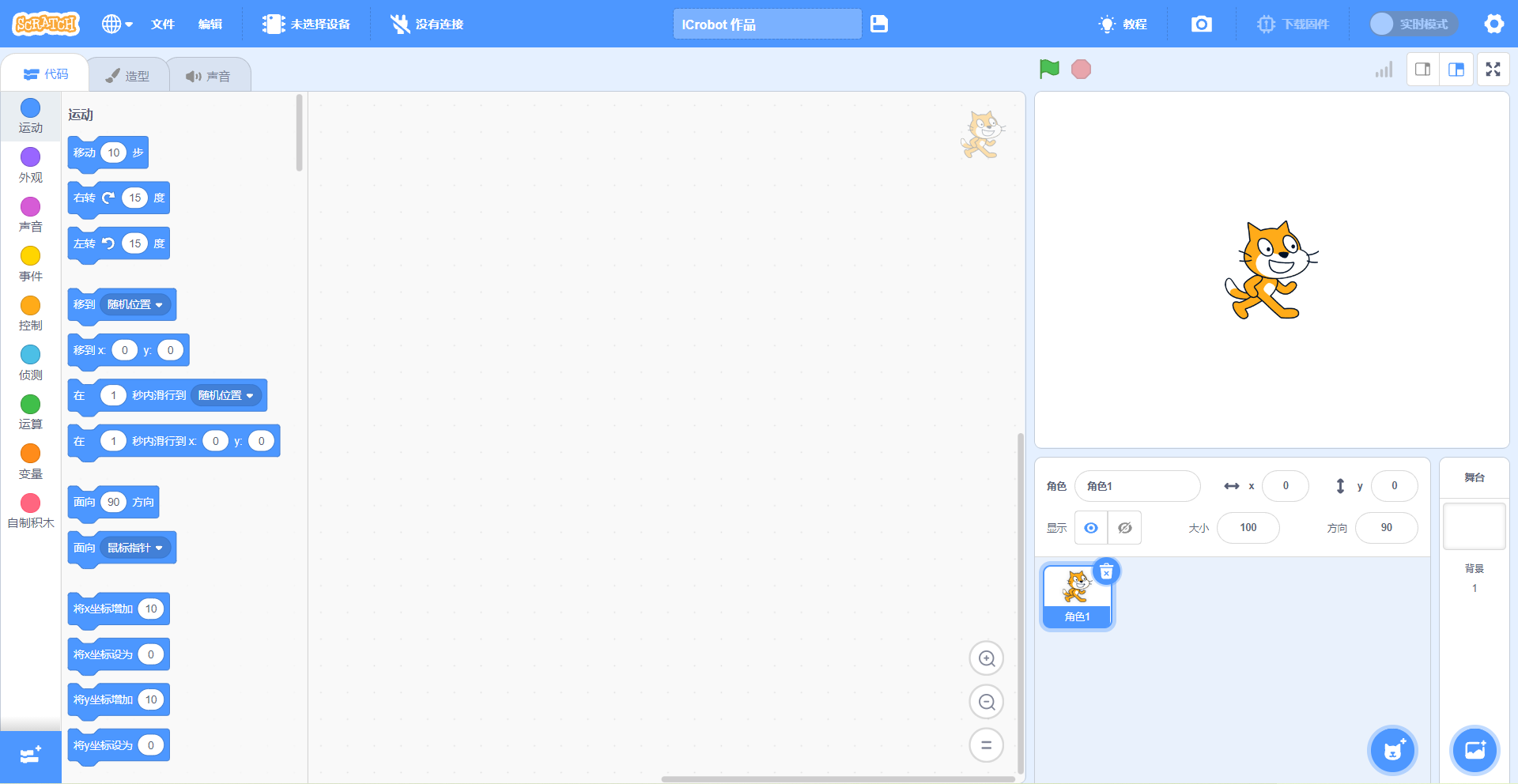 |
| Step 5: Once the coding software opens, you will enter the coding interface. |