# KIDZBricks Hub
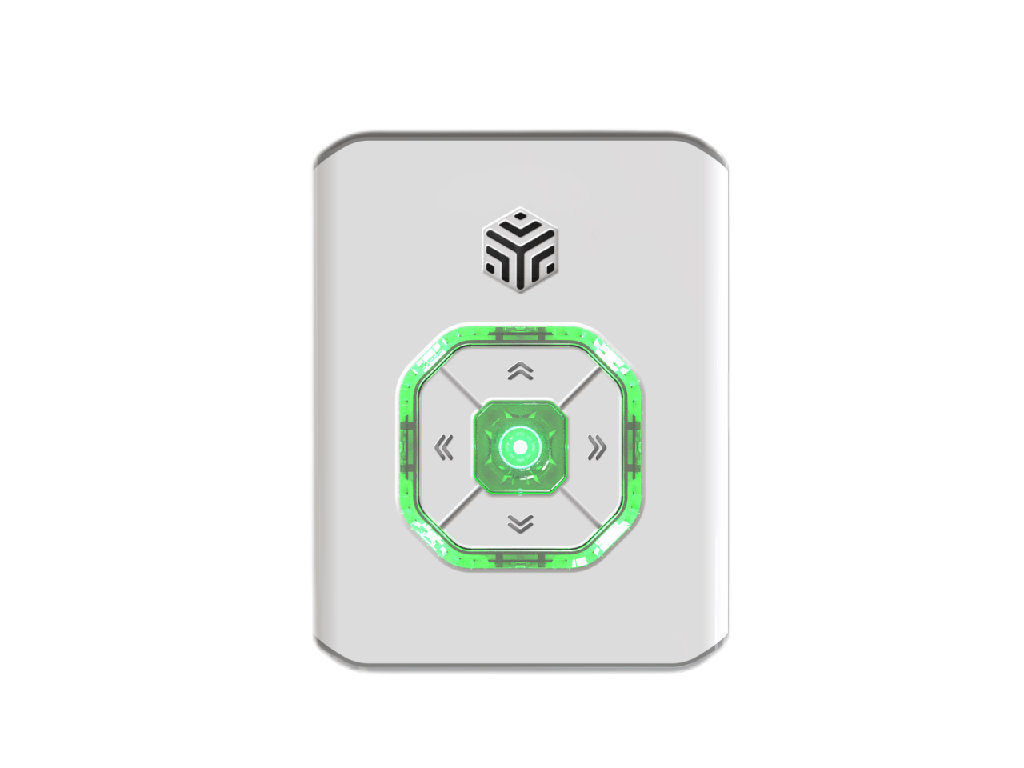
## Overview
The KIDZBricks-V2.0 hub builds on the exceptional performance of its V1.0 predecessor, offering a comprehensive upgrade. It features a refined appearance, enhanced performance, compatibility with both new and legacy sensors, and an optimized user experience. Supporting multi-platform programming software, the V2.0 hub boasts significantly improved battery life, increased load capacity, and an intelligent status indicator design, enabling users to monitor the device's state in real-time. KIDZBricks-V2.0 delivers an efficient and convenient control experience while expanding application scenarios to support creativity and learning exploration.
## Structural
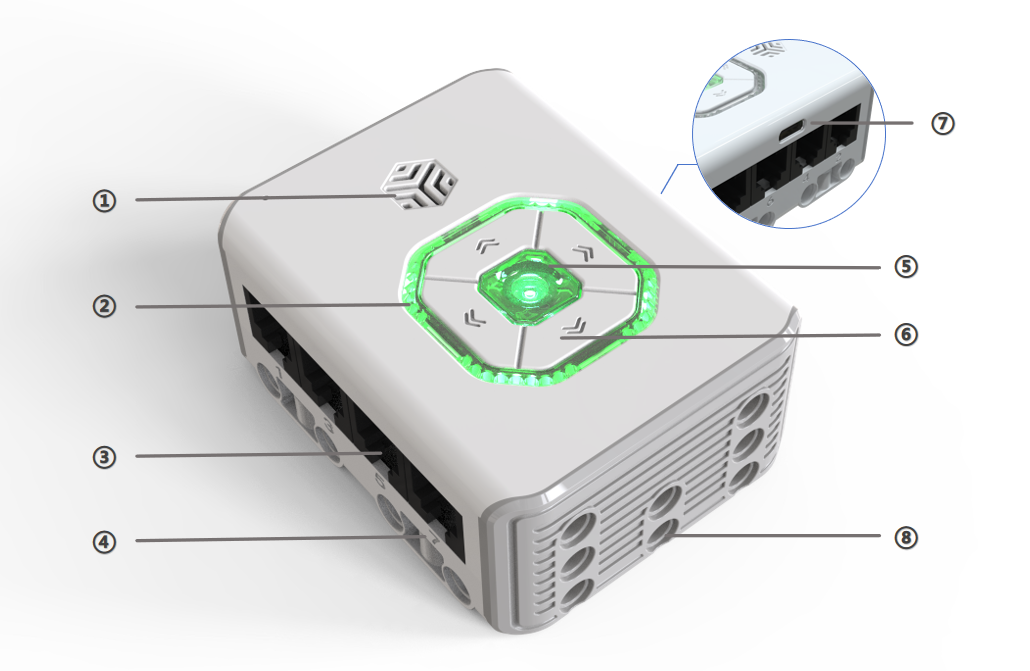
| No. | Name | Description |
| :---: | :---: | --- |
| ① | **Speaker** | Emits notification sounds. |
| ② | **Indicator Light** | Displays power status [1], and can also be used for programming control. |
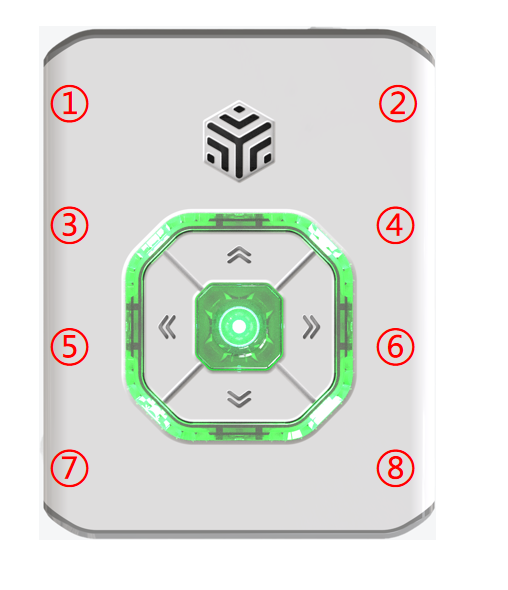
| ③ | **RJ11 Ports** | A total of 8 ports [2] located on both sides, emitting a notification sound upon device connection. |
| ④ | **Port Numbers** | Each port is labeled with a unique identifier for easy recognition and use. |
| ⑤ | **Power Button** | Press and hold for 2s to power on/off; features a breathing light for status indication [3]. |
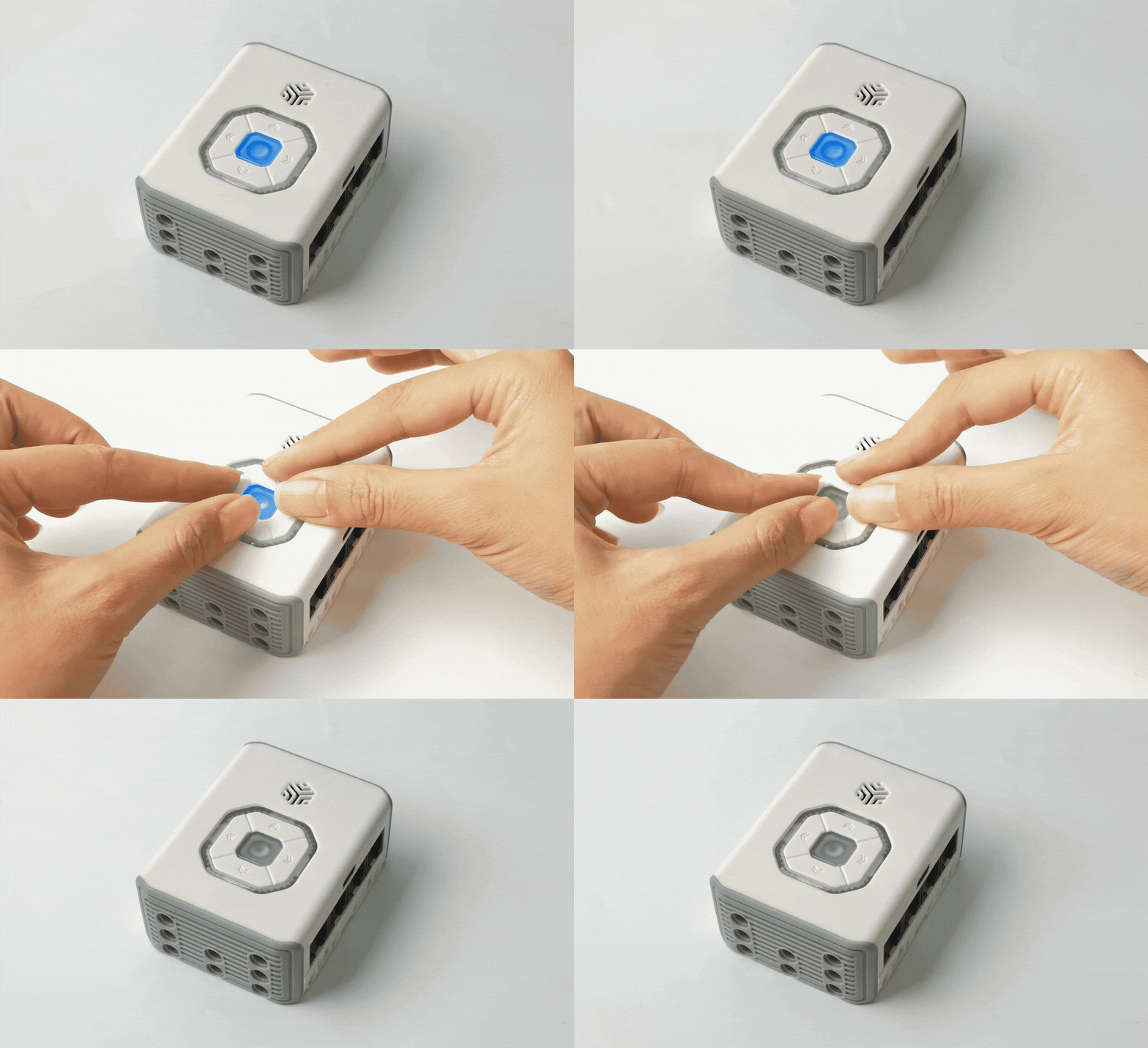
| ⑥ | **Function Buttons** | Used for direct and programmed control; pressing all 4 simultaneously forces shutdown [4]. |
| ⑦ | **USB-C Port** | Enables charging, program downloading, and firmware updates. |
| ⑧ | **Brick Building Holes** | Located on the sides and bottom, facilitating assembly and expanded applications. |
**Additional Notes:**
+ [1] **Power Indicator:** Displays remaining battery levels with different light colors. Automatic shutdown: Automatic shutdown when the main controller power drops to 1%.
|  |
| :---: |
|≥50% 50%~10% ≤10%|
Note: Overnight charging is strictly prohibited.
+ [2] **Port Indicators:** Refer to the location of each port.
+ [3]**Power Button Status:** Triple-click the Power Button to enter locally saved programs (no effect if no programs are saved). The breathing light indicates status:
| Status | Light Behavior |
| :---: | --- |
| Charging (off) | During charging, the indicator is breathing and the color is current charge. When full, the indicator light is always on and the color is green. |
| Powering on | The current power indicator light is getting brighter and brighter. |
| Normal operation | The power indicator light is solid blue. |
| Bluetooth connected | The power indicator light is white and in a breathing state. |
| Local program running | The power indicator light is orange and in a breathing state. |
*Note: Current power color refers to the color rule of the indicator light.
+ [4]**Forced Shutdown:** Press all Function Buttons simultaneously to force shutdown.
## Specifications
| Item | Description |
| :---: | :---: |
| Name | KIDZBricks Hub |
| Code | B0100009 |
| Dimensions | 72 x 56 x 32 mm |
| Weight | 106 g |
| Material | ABS |
| Main Board/Chip | ESP32 |
| Connections | USB-C / BLE / RJ11 |
| Charging Input | 5 V⎓1 A |
| Battery Capacity | 900 mAh(LiPo) |
| Battery Life | 4 h |
| Age | 6+ |
*Note: Data provided is based on laboratory testing and simulated usage scenarios. Actual battery life may vary.
## Usage Introduction
The KIDZBricks hub offers four usage modes. Refer to the ["Control Modes Introduction"](/docs/KIDZBricks/04FeatureOverview.html) for detailed instructions:
| Mode | Description |
| :---: | --- |
| **Direct Control** | Operate actuators connected to different ports using the directional buttons (up, down, left, right). |
| **Logic Control** | Use sensors to directly control actuators without programming. |
| **Programming Control** | Supports KIDZBricks programming software (mobile), KIDZBot software (PC), and MicroBlocks software (PC). |
| **Logic Restriction** | Disables all intelligent features of the device. |
##Firmware Upgrade
** For firmware upgrade instructions, click the link below: 👉**
[[Firmware Upgrade] ](/docs/KIDZBricks/09FirmwareUpgradeGuide.html)